

The next generation of CAN-Bus immobiliser
A universal immobiliser that installs in one of three modes and disarms with a PIN on the car’s own buttons or a Bluetooth tag.
What is the X2 Spirit?
The Scorpion X2 Spirit is a universal CAN-Bus immobiliser and anti-theft system. Unlike older immobilisers, it can be installed to work in one of three ways.
- Three install modes: Full Digital, Hybrid and Analogue
- Disarm with a PIN on the factory buttons, or a Bluetooth tag
- Installer app: no computer needed
- Customer app for iOS and Android
- Early Access Programme now taking registrations
Already know the Scorpion X-Series immobiliser? X2 Spirit is the next generation.
One immobiliser, three ways to fit it
Full Digital Mode
Connects to the vehicle’s digital data bus and reads vehicle parameters directly. If it detects an unauthorised attempt to move the car, it stops key components from working.
Hybrid Mode
For vehicles that aren’t fully compatible with Digital Mode. It reads the car’s status over the CAN-Bus but blocks the engine in a traditional, analogue way. It can also read vehicle data to help create new firmware.
Analogue Mode
A built-in motion sensor detects movement. When the car moves, a built-in relay blocks the engine.
To disarm, enter a PIN code using the car’s factory buttons, or place a Bluetooth tag near the device.
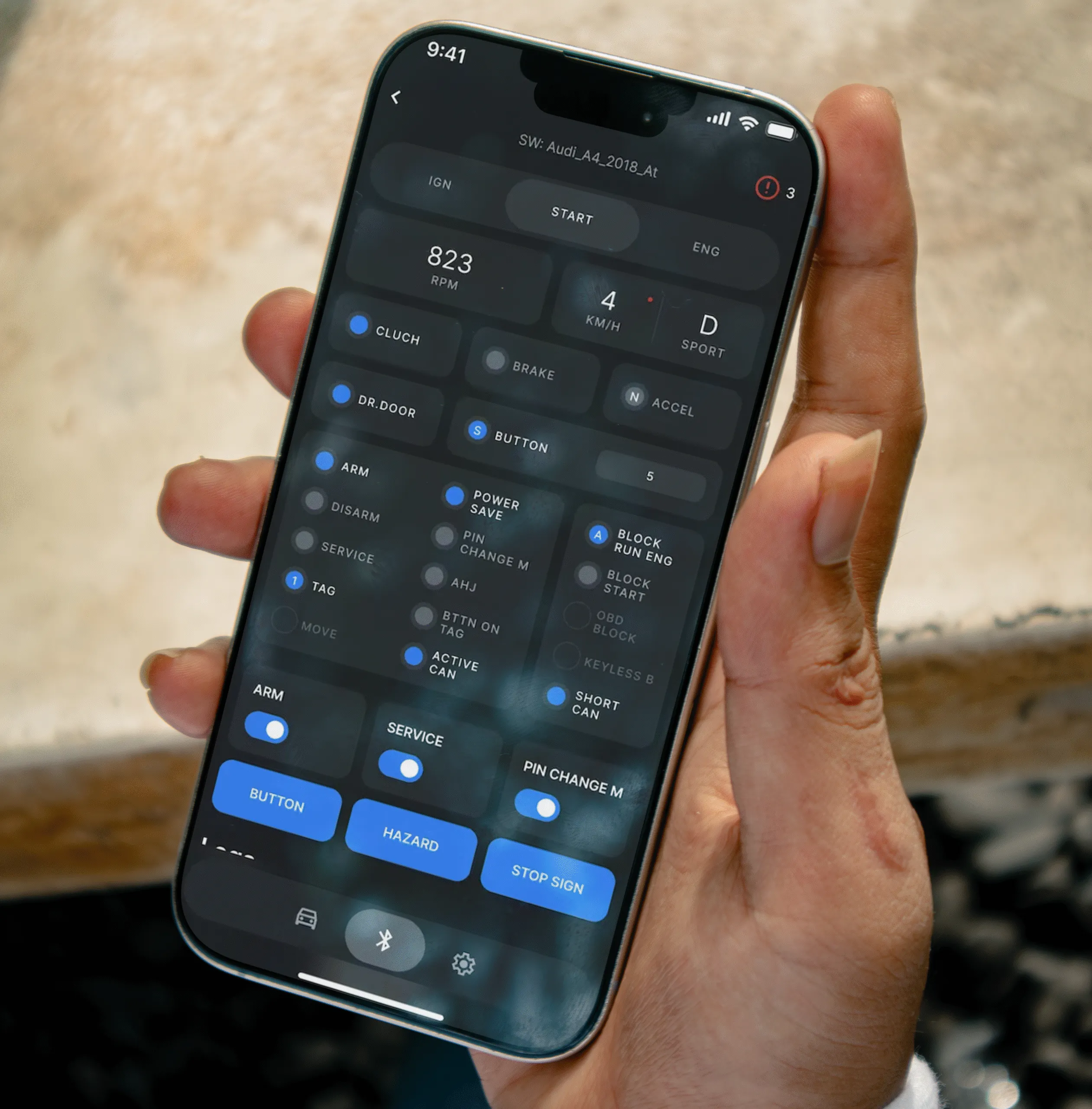
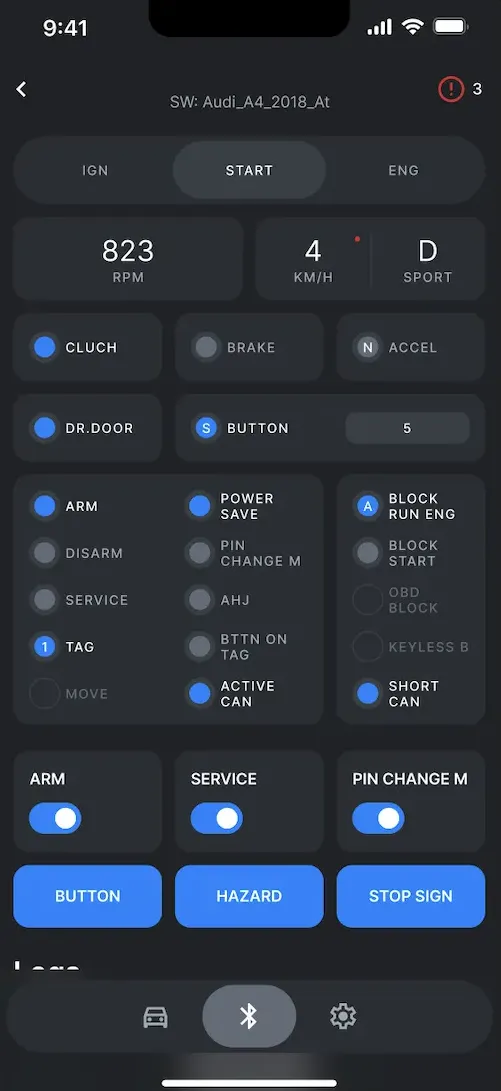
Installation app
No computer required. Connect to the device with the phone app to configure the vehicle, with tech sheets and device configuration built in.
- Update firmware
- Change settings
- Register additional tags
- Adjust the motion sensor sensitivity
Available for iOS and Android.
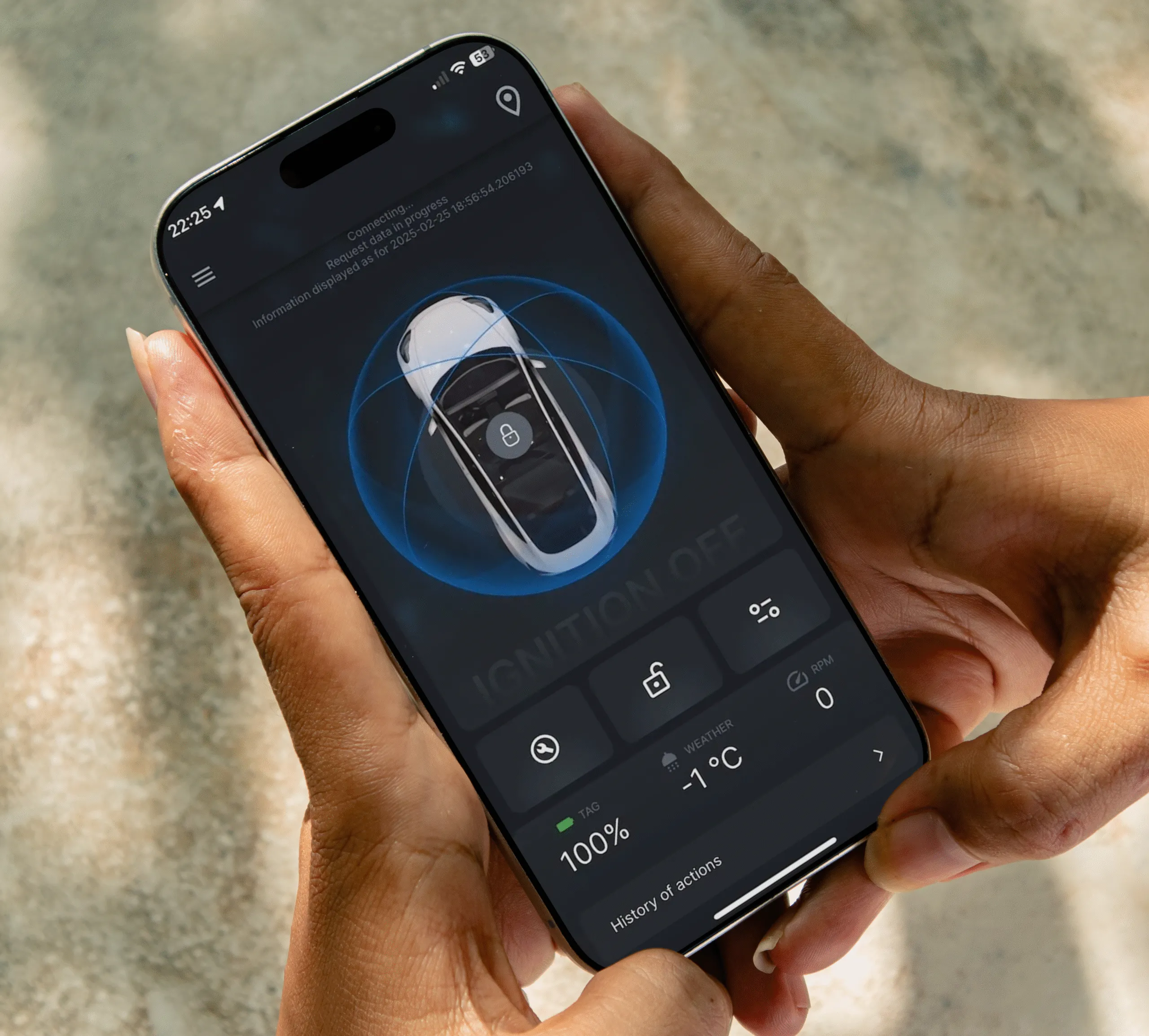
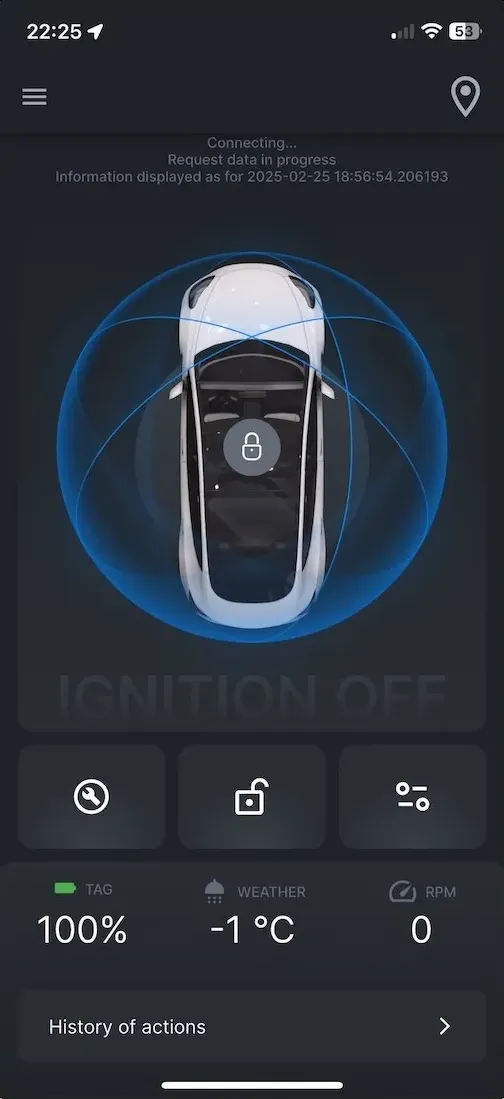
Customer app
Total control of the immobiliser from your phone.
- Disarm via the app
- Switch to Service Mode
- Change the unique PIN
- See the tag battery level
- See current security settings
- Turn on the “Phone as Tag” option
Available for iOS and Android.
Two apps, one system
Register your interest
Complete the form to register for our Early Access Programme. A member of our team will be in touch with more details.
X2 Spirit questions
What is the Scorpion X2 Spirit?
The X2 Spirit is Scorpion Automotive’s next-generation universal CAN-Bus immobiliser. It can be installed in Full Digital, Hybrid or Analogue mode, so it suits vehicles with and without full CAN-Bus compatibility.
How do you disarm the X2 Spirit?
Enter your PIN code using the car’s factory buttons, or place a Bluetooth tag near the device. The customer app can also disarm it, and the “Phone as Tag” option lets your phone act as the tag.
Does the installer need a laptop?
No. The installer connects to the device with the installation app on a phone to configure the vehicle, view tech sheets, update firmware, change settings and register extra tags. The app is available for iOS and Android.
How is the X2 Spirit different from the X-Series?
Both are Scorpion CAN-Bus immobilisers that need a PIN or tag before the vehicle will start. The X2 Spirit adds three installation modes, including an analogue mode with a built-in motion sensor and relay, plus installer and customer apps.
How do I get the X2 Spirit?
Register your interest using the form on this page to join the Early Access Programme. A member of our team will be in touch with more details.